 DaDaBIK®
Track stock movements
Register incoming stock from each product record, automatically generate outgoing movements from invoice items and keep a complete movement history.
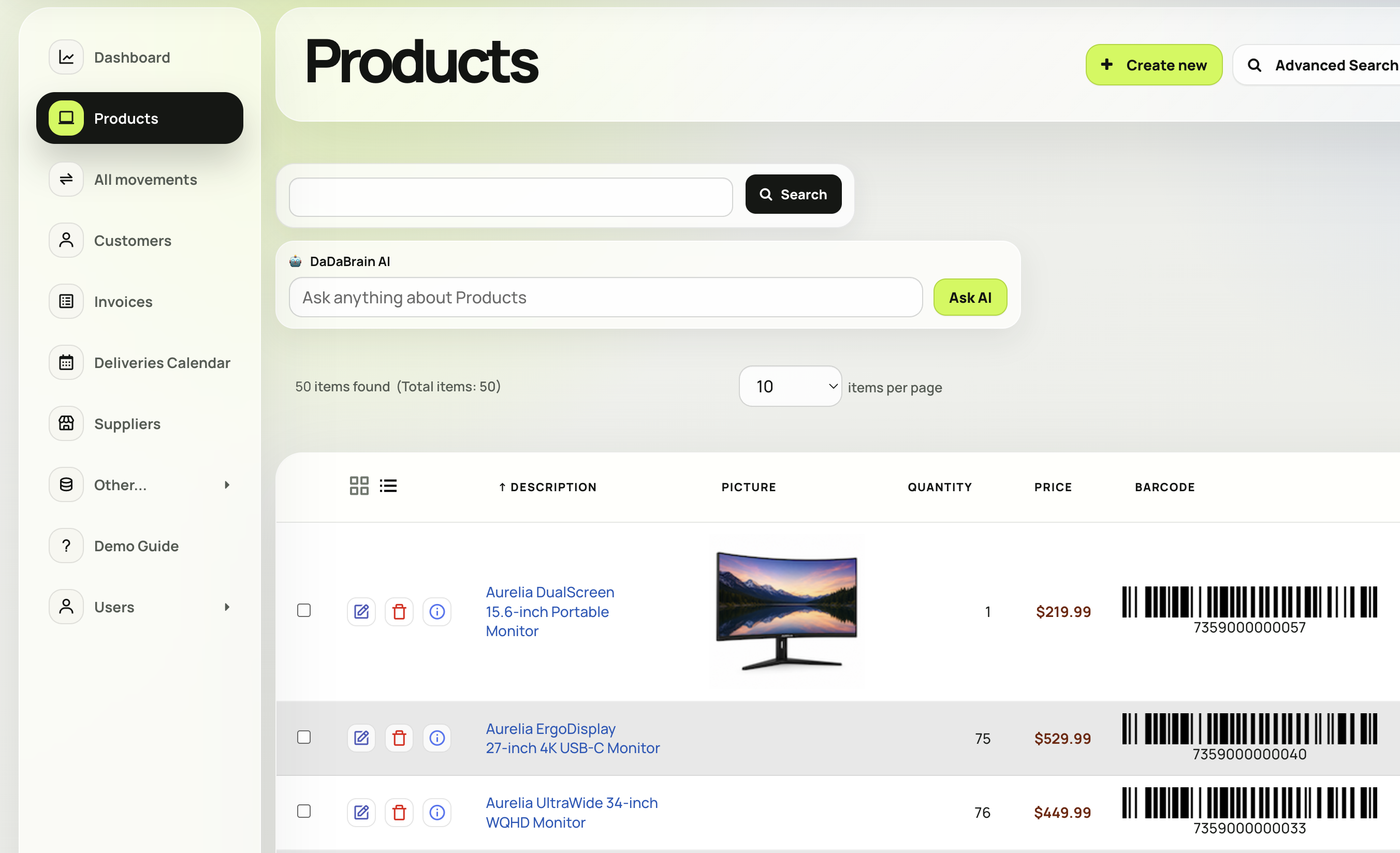
Explore a working application for managing products, stock movements, suppliers, customers, sales invoices and scheduled deliveries. Built with DaDaBIK and available as an installable prepackaged app that you can customize visually or extend with PHP and JavaScript.
The demo represents a B2B office-supplies business and connects inventory operations with sales and delivery scheduling. It is both a live demonstration of DaDaBIK and a ready-to-install starting point for your own application.
Register incoming stock from each product record, automatically generate outgoing movements from invoice items and keep a complete movement history.
Create customers, invoices and line items, generate PDF documents and view scheduled deliveries in a calendar.
Use dashboards, reports and natural-language data queries, then adapt forms, permissions and workflows to your organization.
The application combines common inventory-management workflows with the no-code and low-code capabilities used to build and maintain them.
DaDaBIK works directly with your SQL database instead of storing your application data inside a proprietary SaaS platform. You retain control of your data and infrastructure while working with substantial volumes of invoices, invoice items and inventory movements.
We tested this demo on budget hosting with 1 million movement records and no significant slowdown.
The application is configured primarily through DaDaBIK's visual interface, while custom PHP and JavaScript remain available for advanced custom business rules, automation and integrations.
Modify forms, data grids, labels, relationships, validation, permissions, dashboards, reports and menu structure without rewriting the application.
Add advanced custom logic with hooks and buttons, custom pages, advanced validation and integrations while retaining control of the application and database.
Explore the live inventory-management demo, then start a free trial and install the prepackaged app as a customizable foundation for your own products, stock movements, invoices and delivery workflows.
Yes. The live demo manages products, categories, suppliers, customers, stock movements, invoices, invoice items and scheduled deliveries.
Yes. The application is available as a DaDaBIK prepackaged app. You can install it, replace the sample data and customize its structure, permissions, forms and workflows.
Incoming stock movements are added from the relevant product record. Outgoing movements associated with sales are generated from invoice items. A separate read-only view provides a complete list of all movements.
Yes. Tables, forms, fields, relationships, labels, layouts, validation, formulas, permissions, dashboards, reports & more can be configured without coding.
Yes. PHP and JavaScript can be used for advanced custom logic, custom pages, advanced validation and formatting, integrations and specialized workflows.
DaDaBIK is self-hosted. You install it on your own compatible hosting or server (even on your laptop!) and retain control of the application and database.
Yes. DaDaBIK can create applications from existing MySQL, PostgreSQL, SQLite and Microsoft SQL Server databases, from imported spreadsheet data or from a new database structure.